The secret to SEO Heaven: Gatsby + Lighthouse
August 02, 2020

One of the main selling points of Gatsby, on top of buttery smooth performance, is its huge collection of plugins. During the course of this article, we will explore some of them to set a good baseline for your website.
Make Search Engines Robots aware of your content
We will first start our SEO journey with three plugins that will allow Robots to Find, Categorize and Link your content.
1 - Categorize your content by enriching your Metadata
The first step to enhance your visibility on Search engines is to add metadata to your pages. These pieces of information can be the title of the page, keywords describing the content, language used, etc…
In practice, metadata is part of the <head> tag of your HTML file.
If you want to learn more about it, Mozilla made a great read about it.
Since in our case we are using Gatsby, we can take advantage of gatsby-plugin-react-helmet to add metadata to our pages.
If you wonder why it’s named Helmet, that’s because it takes care of your head
You can follow this guide to set things up.
2 - Provide a Sitemap for easy indexing
When a search engine wants to index the content of your website, it will start from the root of your website and will crawl across all the pages. The crawling process can be made easier for the search engine by adding a map of your website listing the pages of your site.
It takes the form of an XML file located at the root of your website with the name sitemap.xml.
<?xml version="1.0" encoding="UTF-8"?>

<urlset xmlns="http://www.sitemaps.org/schemas/sitemap/0.9">
   <url>
      <loc>http://www.example.com/</loc>
      <lastmod>2005-01-01</lastmod>
      <changefreq>monthly</changefreq>
      <priority>0.8</priority>
   </url>

   <url>
      <loc>http://www.example.com/books</loc>
      <changefreq>weekly</changefreq>
   </url>

   <url>
      <loc>http://www.example.com/catalog?item=14</loc>
      <lastmod>2004-12-23</lastmod>
      <changefreq>weekly</changefreq>
   </url>
</urlset>
It also indicates at which frequency your content usually changes. This way, Search engine robots can periodically visit your website to update the indexed content and index new pages.
This file can be generated with the help of gatsby-plugin-sitemap.
3 - Specify content restrictions with Robots.txt
If you have ever done SEO in the past, chances are you already stumbled upon the robots.txt file.
As its name suggests, this file is a configuration file that will be taken into account by Search engines Robots when they browse your website.
You can define rules for pages you don’t want to appear in search engine results like an admin panel for example.
Let’s say you created a website where users can upload files, but you don’t want uploaded content to be indexed. You also have an administration panel that does not need to be indexed by search engines.
You could create the following configuration
User-agent: *
Disallow: /admin/
Disallow: /user_files/

Sitemap: http://www.example.com/sitemap.xml
As you can notice, it also serve the purpose of specifying where to find the sitemap.xml.
In most cases you will not need custom rules there, so you can pretty much rely on default settings provided by gatsby-plugin-robots-txt.
Make your website accessible
Once you’re done enriching the metadata of your website, you can start making it more accessible. Before we dive into the subject, I would like to present you with a tool that made my life SO much easier.
Knowing your website’s weaknesses using Google Lighthouse
Google lighthouse is a Google Chrome tools available under the Audit tab in the development tools.
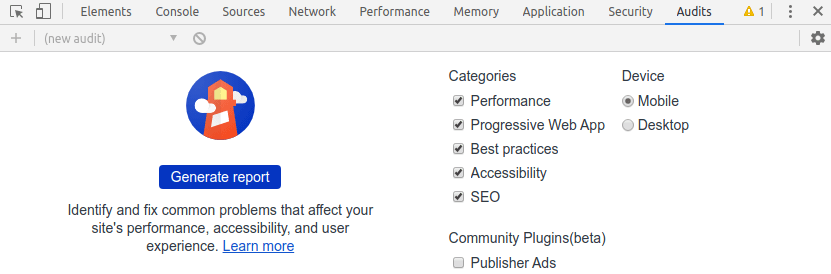
With this tool, you can run a series of benchmark in different scenarios (mobile 3G/4G, desktop). It will generate a report divided into 4 categories: Performance, Accessibility, Best Practices, and SEO. Inside this report, you will get insights about several individual metrics as well as a score for each of them.
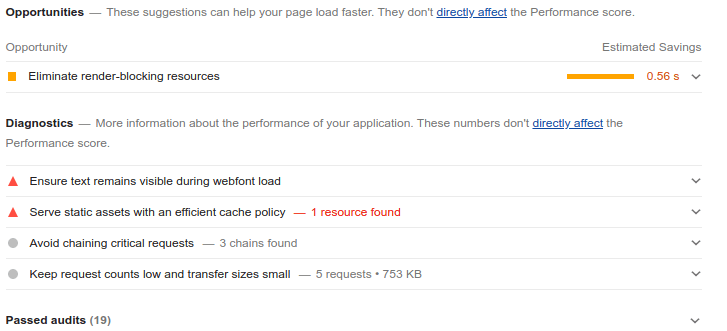
As a starting point, I recommend you to run a benchmark with the default settings on your website and go through the list of points that can be enhanced.
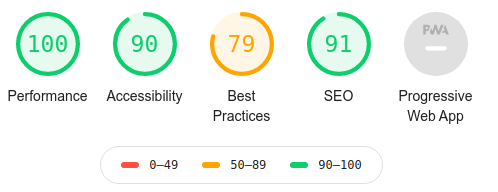
I ran it on my website before writing this article and as you can see some things can be improved. The Progressive Webapp score is 0, we will now see how to turn this into a 100.
Progressive Web App
A Progressive Web App you say huh… ಠ_ಠ
I’m sure it is one more buzzword used by Recruiters to attract clueless developers!
Well, to be quite frank, I was thinking the same!
Luckily, it comes handy to enhance the browsing experience for your mobile users. If I had to compare it to something else, it would be Hybrid Apps. So anything created with React Native, Ionic, Cordova, and similar technologies.
But wait, those are frameworks specifically designed for mobile, right?!
Agreed, a PWA will give your mobile users the same look and feel like a Native or Hybrid app would.
Main improvements with a PWA
- Usable like a native App
- Users will be able to browse your site while being offline
- Faster performance after the initial loading
Behind the scenes, all this magic is achieved using service workers which can accomplish background tasks. If you are curious to learn more about this, this article written by Google covers the capabilities of service workers.
Furthermore, you can use native functionalities such as sending push notifications or taking a picture. I will not go into further detail as it would be out of the scope of this article. You can learn more about this on whatwebcando.today
Alright, let’s now see how we can mark a few more points in Lighthouse and make it a PWA.
Turn your website into a Progressive Web App
1 - Add a Manifest to your website
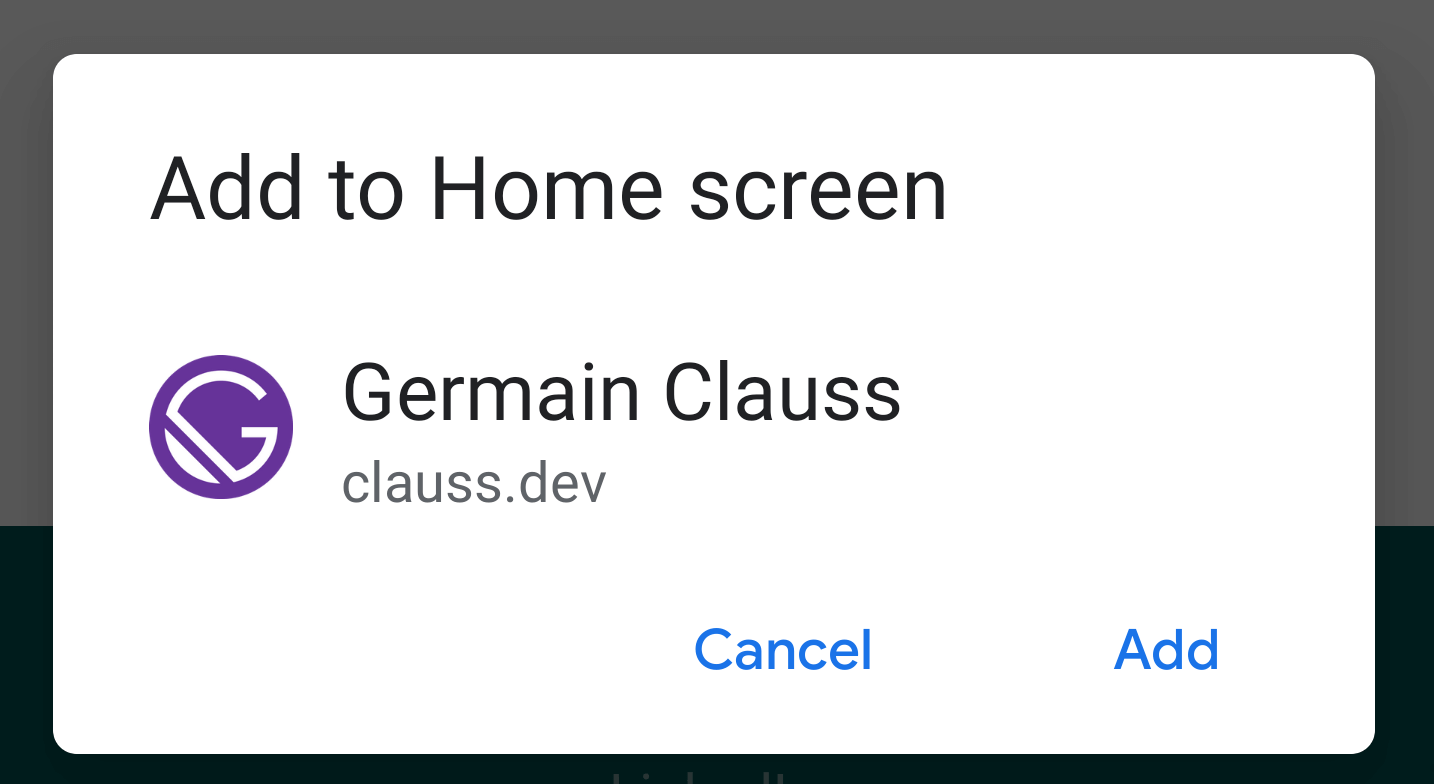
gatsby-plugin-manifest is the core that will transform your website into a Progressive Web App. It will define a Manifest, a standardized file made to inform the browser about your website capabilities.
This consists of an icon, colors, and name that will be displayed on a mobile device. Whenever a user adds your site to his home screen on a mobile device, this will show up.
2 - Allow users to browse your website without Internet
With the manifest added, we now have a Progressive Web App but it’s not fully capable yet. It still misses one of the biggest advantages that a PWA can offer: the ability to browse your website while being offline.
gatsby-plugin-offline comes to the rescue and will take care of this for you!
Once you set it up, you can now try adding your website to your home screen and turn off your Wi-Fi connection. You can open it from the icon and the site will still be perfectly functional.
Magic, right!
Congrats, you’ve made it!
Now that you have reached this point, you should have excellent scores in Ligthouse in every category.
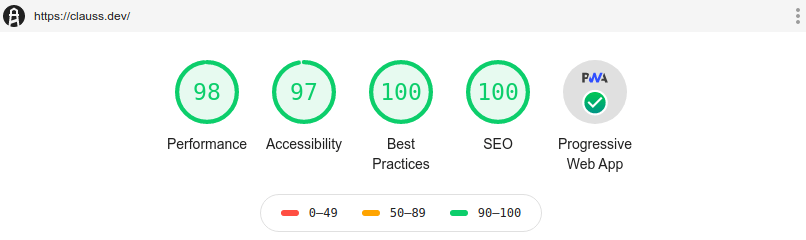
Your website is now ready to start crawling to the first page on Google. Don’t forget that this is only the first step of SEO, nothing comes for free. It requires dedication, time and strategy.
You have to continue publishing quality content and advertise your website to make it successful. As a general rule, your content should target a specific topic where you have few concurrent websites. Therefore your audience can find your content easily and you can progressively extend your scope.
I hope this helps you, good luck on your SEO journey!